Summarize Video to Text Online — Free, No Sign-Up
No account. No installs. Paste a YouTube link and read the video as text.
- Free to try — no sign-up needed
- Summaries in English & Chinese
- Summary, transcript, mind map & Q&A
Everything here runs in the browser tab you already have open. There is no app to install, no extension to add, and no file to upload — the video stays on YouTube, we only read its captions. Paste a link as an anonymous visitor and you get a full AI summary with chapters and transcript, twice a day, on any device that runs a browser.
Try it on a popular video
No link handy? Jump straight into one of these.

But What Is a Neural Network?
3Blue1Brown's classic visual intro to deep learning.

Inside the Mind of a Master Procrastinator
Tim Urban's TED talk on why we procrastinate.

Steve Jobs' Stanford Commencement Address
The 2005 speech on life, death, and following your passion.
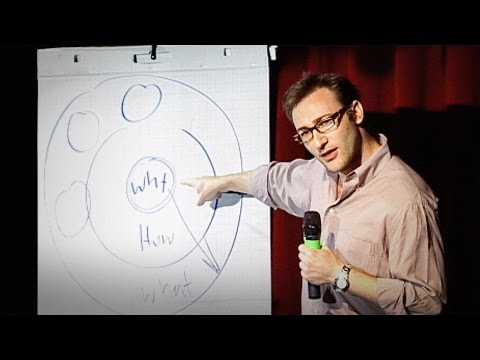
How Great Leaders Inspire Action
Simon Sinek's TED talk on the Golden Circle.
An Online Video Summarizer That Lives in Your Browser
Online means exactly that: nothing touches your device. Desktop apps and browser extensions ask you to install software just to read what a video says — here the entire workspace is a web page. It behaves the same on a work laptop where you can't install anything, on your phone during a commute, and on a borrowed tablet.
It also means no uploading. Tools that transcribe video files make you download the video first and push gigabytes back up. Since the video already lives on YouTube, pasting its link is enough — the captions are fetched server-side and the text workspace opens in seconds, even on a slow connection.
And it works before you commit to anything: no account, no email, no trial timer. Anonymous visitors can summarize two videos per day, up to 15 minutes each. If a video has been summarized by anyone before, opening it again is instant and completely free for everyone — cached results never count against a quota.
How to Summarize a Video Online
No account needed for YouTube videos.
Copy a YouTube link
Any public YouTube video with captions works — lectures, podcasts, interviews, tutorials.
Paste it — no sign-up
Paste the link into the box above. Anonymous visitors get 2 summaries per day, no account required.
Read, skim, ask
The workspace opens with an AI summary, timestamped chapters, the transcript, a mind map, and Q&A.
Who Needs to Summarize Video to Text Online
Because everything runs in the browser, an online video to text converter works exactly where installable software does not.
Locked-down work computers
Corporate laptops often block software installs entirely. Summarizing video to text online needs nothing but a browser tab — paste the link, read the summary, close the tab. Nothing to ask IT about.
Phones on the commute
Watching a 40-minute talk on the train means headphones, battery drain and buffering. Reading its summary and transcript takes a fraction of the data and none of the audio — in two-minute bursts between stops.
Shared and borrowed devices
On a library computer or a friend's laptop, you do not want to install apps or log into accounts. The anonymous tier works without sign-in, and when you close the page nothing stays behind.
Chromebooks and tablets
Browser-first devices cannot run desktop transcription software at all. A converter that lives entirely in a web page is the only route that treats a Chromebook or an iPad as a first-class citizen.
Slow or metered connections
Streaming video burns data; text barely registers. When bandwidth is scarce, reading a video as text instead of watching it is the difference between usable and unusable.
Why Summarize Online Instead of Installing Something
The browser is the whole app.
No sign-up for YouTube
Paste a link and go — anonymous visitors get 2 free summaries a day for videos up to 15 minutes.
Any device, same experience
Phone, laptop, tablet — if it runs a browser, the full workspace works. Nothing to install or update.
Nothing to upload
The video stays on YouTube. We read its captions server-side, so there are no gigabyte uploads and no waiting.
Cached videos replay free
Any video that has been summarized before opens instantly for everyone and never counts against a quota.